What Is PS1 BIOS? All About Its Role, Importance, and Key Features
Short Summary:
The PS1 BIOS is a vital file that helps PlayStation consoles and emulators start and run games properly. It handles hardware checks, game loading, and controls. Using the correct regional BIOS ensures smooth gameplay and prevents crashes. Emulators work best with the real BIOS, which must be legally obtained from your own console.
PS1 BIOS is a small system file that allows the original PlayStation and PS1 emulators to start, control hardware, and run games correctly. It works before any game loads and sets the basic rules for how the system behaves. Classic PlayStation games depend on this file to manage memory, sound, controller input, and disc reading in the correct order.
When you play these games today using emulators, the BIOS helps copy real console behavior instead of guessing. This still matters because many PS1 games need exact timing to run right. Without the BIOS, gameplay breaks, just like a lock failing when the key does not fit.
What Is PS1 BIOS?
PS1 BIOS is a built-in system file that controls how the PlayStation 1 starts and runs games. It is the first thing the console reads when you turn it on. This file sets the basic rules the system must follow before loading any game.
In PlayStation terms, BIOS means the core program that manages hardware tasks. It controls memory use, sound output, controller input, and disc access. Games rely on these rules to work the same way on every console.

On the original PlayStation, the PS1 BIOS is stored on a chip inside the console. It is not saved on the game disc or memory card. This placement keeps the system stable and secure.
Every PS1 system includes this file because games need a fixed system guide. Without it, the console would not know how to start or how to run software correctly.
How Does PS1 BIOS Work?
PS1 BIOS controls what happens from the moment the PlayStation turns on until a game starts running. It works behind the scenes and makes sure the system and the game follow the same rules every time.
What Happens When the Console Turns On
PSX BIOS starts working the instant the console receives power. It checks the system parts like memory, sound, and controllers to confirm they respond correctly. These checks are required because the console must be stable before loading anything else. This step cannot be skipped because the system would not know how to continue.
How PS1 BIOS Loads Games
PS1 BIOS reads the game disc and prepares the system to run it. It checks the disc format and connects the game data with system rules already stored in the console. The BIOS tells the game how to use memory, audio, and controls. Games depend on these instructions because they are written to follow PlayStation hardware behavior exactly.
Main Functions of PlayStation 1 BIOS
The PS1 BIOS handles several important tasks that keep the PlayStation working properly from start to finish. These tasks make sure the system and games run smoothly together without issues.
1. Power-On System Check
When the console powers on, the BIOS first checks the CPU and memory to make sure they are working. It confirms that all hardware parts are ready before loading anything else. Without this step, the system might crash or freeze. This initial check sets the stage for everything that follows in the system.
2. Disc Authentication and Region Check
The BIOS reads the game disc to confirm it is valid and matches the console’s region. This prevents games from other regions that may not work properly on your PlayStation. It helps avoid errors caused by incompatible game versions.
3. Game Execution Control
After the checks, the BIOS hands control over to the game’s code while keeping system rules active. This helps games run correctly and keeps the console stable during play. It also manages how the game interacts with the hardware throughout the session.
4. Controller and Input Handling
The BIOS reads signals from the controller and sends them to the game. This lets the game respond accurately to your button presses and movements. It ensures the controls feel responsive and smooth during gameplay.
5. Memory Card Access
The BIOS manages reading and writing save data on memory cards. It also helps prevent save files from becoming corrupted, so your progress stays safe. This careful handling protects your game saves from accidental loss.
6. Audio and Video Signal Control
The BIOS controls the sound output and timing of the screen display. This makes sure the game’s audio and video play smoothly and without delay. Proper coordination here creates an enjoyable gaming experience.
Key Features of PS1 BIOS That Keep Your Console Running
The PS1 BIOS has important features that help the PlayStation start and run games properly. These features make sure everything works as it should from the moment you turn on the console.
System Initialization
The BIOS gets the hardware ready before you start playing. It checks the CPU, memory, and other parts to make sure they are working well. This helps avoid problems during gameplay.
Game Authentication Process
Before launching a game, the BIOS checks if the game data is valid. This ensures the game disc matches the system and is safe to run. It stops incorrect or damaged games from causing errors.
Memory Card Handling
The BIOS supports saving and loading game progress through memory cards. It reads and writes data carefully to protect your saved games from being lost or damaged.
Audio and Video Output Control
The BIOS manages sound and screen signals during gameplay. It controls how the game’s audio plays and makes sure the picture shows correctly and without delay.
Why PS1 BIOS Is Important
The PS1 BIOS plays a big role in making sure your games start right, run smoothly, and perform consistently. Without it, your PlayStation or emulator can’t copy the original console’s behavior properly.
Game Startup Accuracy
The BIOS controls how the game starts up, so everything loads the way it should. This includes showing the original startup screens and logos. Without the BIOS, these screens might be missing or skipped, which means the game may not load correctly.
Gameplay Stability
The BIOS helps prevent games from freezing or crashing while you play. It manages important system checks and controls to keep the game running without errors. Without the BIOS, long play sessions often end with crashes or freezes.
Performance Consistency
The BIOS controls the timing and speed of the system, making sure games run at the right pace. This includes frame pacing, which keeps gameplay smooth and avoids stuttering. Without the BIOS, games may run too fast, too slow, or unevenly.
What Are the Different PS1 BIOS Regions?
The PS1 BIOS comes in different versions depending on the region. Each version supports games made for specific areas, which helps the console run them properly.
1. USA PS1 BIOS (NTSC-U)
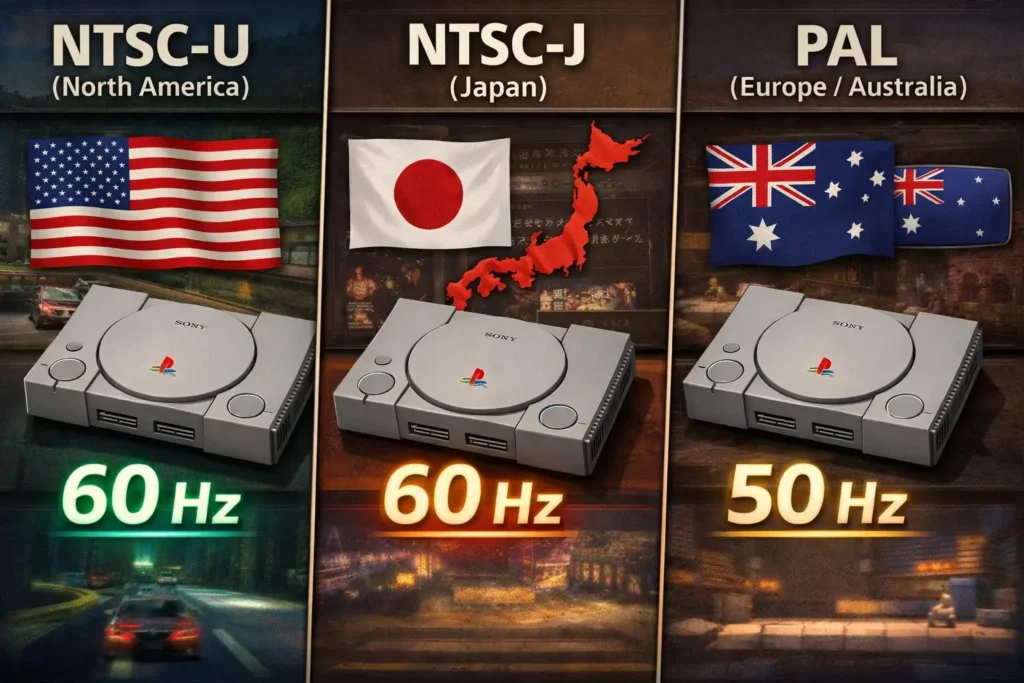
The USA version of the BIOS, called NTSC-U, works with games released in North America and some parts of Asia. It uses the NTSC video format, which runs at 60 frames per second. Games designed for this region match the system rules set by this BIOS.
2. Japan PS1 BIOS (NTSC-J)
The Japan BIOS, known as NTSC-J, supports games made for the Japanese market. It uses the same NTSC video standard as the USA version but may have slight differences to match Japan-specific releases. This BIOS ensures games from Japan run correctly.
3. Europe PS1 BIOS (PAL)
The Europe BIOS, or PAL version, handles games made for Europe and Australia. PAL runs at 50 frames per second, which is slower than NTSC. This BIOS adjusts timing and video output to fit the PAL standard, affecting game speed and display.
4. Region Locking and Game Problems
Using the wrong BIOS region can cause games to fail or behave oddly. Region locking stops games from one area running on consoles from another. This leads to issues like freezing, black screens, or crashes if the BIOS and game don’t match.
How PS1 BIOS Works with Emulators
An emulator is software that lets you play PlayStation games on devices like PCs or phones. It copies how the original console works but needs help from the PS1 BIOS to do this properly.
What an Emulator Does
The emulator runs PlayStation games by mimicking the console’s hardware and software. However, it cannot fully replace the BIOS on its own. The BIOS is a separate system file that tells the emulator how the real PlayStation behaves.
Why Emulators Need PS1 BIOS
Emulators need the PS1 BIOS to start games correctly and keep them running smoothly. While some emulators try to use built-in BIOS replacements, these often miss important details. This causes games to crash, freeze, or behave differently from the original console.
Popular Emulators That Use PS1 BIOS
Several popular emulators rely on the PS1 BIOS to run games accurately. Using the correct BIOS helps these emulators match the original PlayStation’s behavior closely.
- ePSXe: A widely used emulator that depends on the PS1 BIOS for better game compatibility.
- DuckStation: Known for accuracy, it requires the original BIOS file to deliver the best performance.
- RetroArch: Uses multiple PS1 cores, many of which need the BIOS to function correctly.
Using the correct BIOS file helps these emulators deliver gameplay close to the real PlayStation experience.
How to Choose the Right PS1 BIOS
Picking the right PS1 BIOS is key to making sure your games run without problems on an emulator. Using the wrong BIOS can cause crashes or stop games from starting.
Matching BIOS With Emulator
Your BIOS needs to work well with the emulator you’re using. Not all BIOS files fit every emulator, so compatibility is important. Using the BIOS recommended by the emulator’s creators helps avoid errors.
A simple tip is to download BIOS files from trusted sources and check the emulator’s instructions for the correct version.
Matching BIOS With Game Region
The BIOS region should match the game’s region for smooth play. For example, use a USA BIOS for North American games and a Europe BIOS for European titles. Common mistakes include mixing regions, which can cause games to freeze, crash, or fail to start. Always verify the BIOS matches your game’s region to prevent issues.
What Happens If PS1 BIOS Is Missing or Corrupted
If the PS1 BIOS is missing or damaged, your PlayStation or emulator won’t work properly. This causes several common problems that stop games from running smoothly.
When the BIOS is missing, you might see startup errors or the console may fail to boot up. One common issue is a black screen where nothing appears after turning on the system. Games may also fail to load or crash early, preventing you from playing.
Another problem is with save data; without a working BIOS, your game progress might not save correctly or could become corrupted, causing you to lose hours of play.
Common PS1 BIOS File Names
PS1 BIOS files usually have specific names that emulators recognize. Using the right file name helps your emulator find and use the BIOS correctly.
Most Used BIOS File Names
A common BIOS file name is SCPH1001.bin, which is often used for the USA version. Other regions have similar names, like SCPH7502.bin for Europe or SCPH5500.bin for Japan. Knowing these helps you pick the right file for your setup.
File Extensions and Formats
Most PS1 BIOS files use the .bin extension because they are raw binary files. This format contains the exact data the console’s chip holds, allowing emulators to read it properly.
Naming Errors and Emulator Problems
If the BIOS file is named incorrectly, the emulator might not detect it. This can cause errors or stop games from loading. Always double-check the file name matches what the emulator expects to avoid these issues.
PS1 BIOS Myths Explained
There are some common misunderstandings about the PS1 BIOS. Clearing these up helps you avoid problems when playing or emulating games.
Myth That BIOS Is Optional
Some people think the BIOS isn’t needed, but that’s not true. The BIOS is essential for starting games and running the system correctly. Without it, many games won’t load or will crash.
Myth That All BIOS Files Are the Same
Not all BIOS files are alike. They differ by region and specific functions. Using the wrong BIOS for your game or emulator can cause errors or poor performance. It’s important to match the BIOS to your setup.
How to Set Up Your PS1 BIOS
Setting up the PS1 BIOS correctly is important to get your emulator working smoothly. Knowing where to place the files and how to check settings makes the process easier.
Where BIOS Files Go
BIOS files usually go into a specific folder inside your emulator’s directory. This location varies depending on the emulator but is often named something like “bios” or “system.” Placing the file in the right folder ensures the emulator can find and use it properly.
Why File Location Matters
If the BIOS file isn’t in the correct folder, the emulator won’t detect it. This can lead to errors or prevent games from starting. Keeping the file in the right place helps avoid these issues and makes setup faster.
How to Check If Your Emulator Needs PS1 BIOS
Emulators often show error messages if the BIOS is missing or wrong. Look for alerts like “BIOS not found” or “Missing system file.”
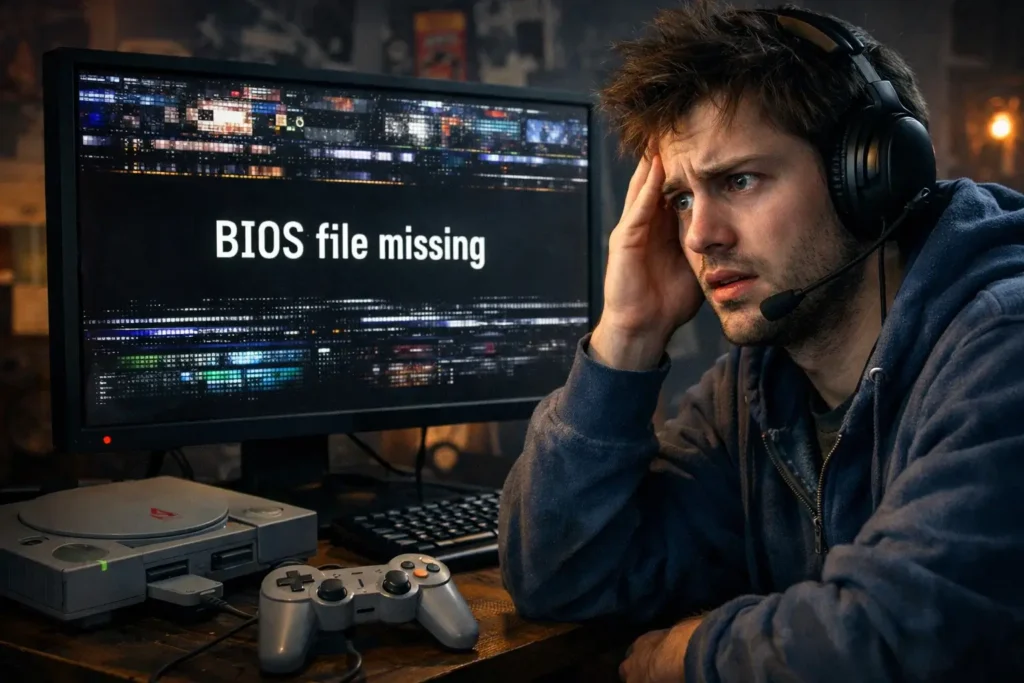
You can also check your emulator’s settings menu, where BIOS options are listed. This area lets you load or select the correct BIOS file for use.
PS1 BIOS for Accurate Retro Gaming
Using the right PS1 BIOS is important to enjoy classic games the way they were meant to be played. Accuracy makes sure that the game behaves just like it did on the original console.
When you play casually, small differences might not bother you. But for true emulation, matching the BIOS exactly helps avoid glitches, crashes, or changes in game speed. This way, you get the full authentic experience of your favorite retro titles.
PS1 BIOS vs Built-In Emulator Firmware
Built-in emulator firmware is not the same as a real PS1 BIOS. Some emulators include their own system code to run games without a BIOS file, but it cannot fully match the original console.
Differences Between Real BIOS and Emulator Alternatives
Real PS1 BIOS
Emulator Firmware Alternatives
Takeaway: Using a real PS1 BIOS improves game compatibility and stability, keeping emulation closer to the original experience.
Is PS1 BIOS Legal to Use?
Using PS1 BIOS is legal only if you own the original PlayStation console it comes from. The BIOS is copyrighted by Sony, and downloading it without ownership is considered illegal.
Legal Status Explained Simply
BIOS files must come from your own console or a trusted source. Some websites, like ps1bios.online, offer BIOS files for users who legally own the console. Using these ensures your emulator runs correctly while staying within legal boundaries. Avoid downloading from unknown sites, as those files may be illegal or unsafe.
Conclusion
The PS1 BIOS is vital for running PlayStation games correctly on both original consoles and emulators. It controls system startup, hardware checks, and game loading, ensuring accurate gameplay and stable performance. Using the right BIOS version that matches your game’s region and emulator prevents errors and crashes.
While some emulators use built-in replacements, the real BIOS provides the most reliable experience. Always place BIOS files in the correct folder to avoid detection problems. Legally, you should only use a BIOS from a PlayStation console you own. This keeps your gaming authentic and trouble-free.
Frequently Asked Questions (FAQ)
What is PS1 BIOS?
PS1 BIOS is the system software built into the original PlayStation console. It controls startup, reads game discs, manages memory cards, and helps games run correctly.
Why do I need PS1 BIOS for emulators?
Emulators use the PS1 BIOS to mimic the original console’s startup and hardware functions. Without it, many games may not load, freeze, or have sound and save problems.
Can I use an emulator without PS1 BIOS?
Some emulators can run games without BIOS files, but this often leads to errors, missing features, or unstable gameplay. Using the real BIOS gives better accuracy and compatibility.
Can PS1 BIOS affect game save files?
Yes. The BIOS manages memory cards, so missing or incorrect BIOS can cause save files not to work or get corrupted.
Can I use one PS1 BIOS file for all games?
Yes, as long as the BIOS matches the region of your games. A single BIOS file can run all compatible games from that region.